

In my last post, I covered Claris FileMaker 2025 – JSON Parse. Today, I’ll highlight two more new features that I’ll be using regularly: GetRecordIDsFromFoundSet function and the Go to List of Records script step.
GetRecordIDsFromFoundSet
Let’s start with GetRecordIDsFromFoundSet.
What does it do?
In simple terms, this function pulls record IDs from the current found set and formats them into an array. The function is written as:
GetRecordIDsFromFoundSet ( type )
The type parameter defines the format in which the IDs are returned. A current bug limits which formats I can show. I’ll update this post when Claris resolves the issue.
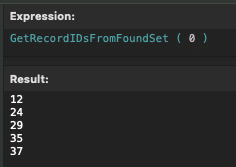
One option is 0 (ValueArray), which returns the record IDs as a carriage return–delimited list:
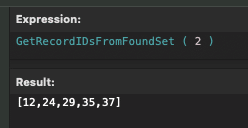
Another is ValueJSONNumberArray, which returns the record IDs as a JSON array:
For this example, I’m using a file with tables for Contacts, Marketing Groups, and Marketing Group Members. The script I’m demonstrating adds Contacts to a Marketing Group by creating new Marketing Group Member records.
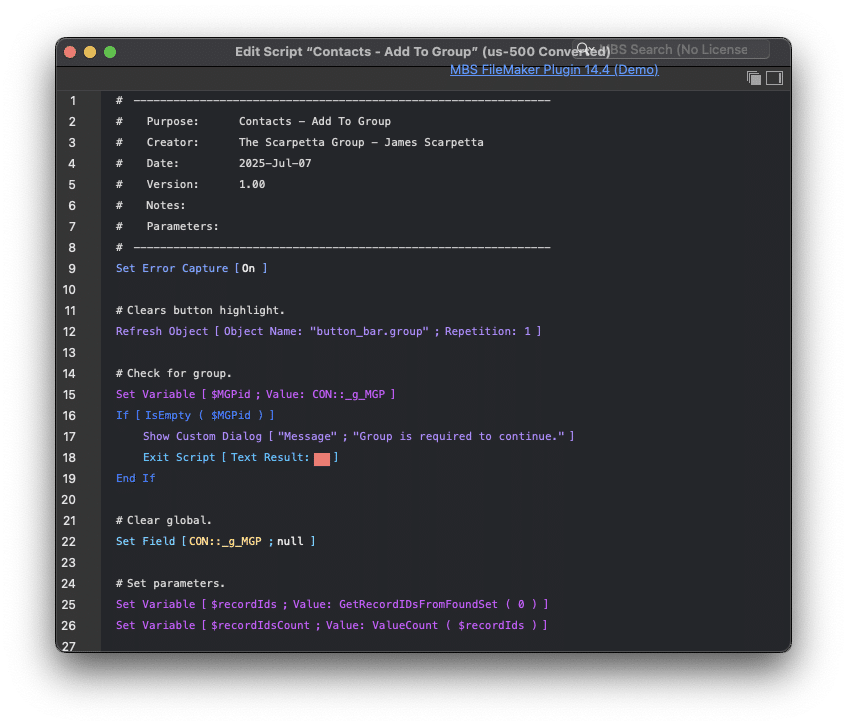
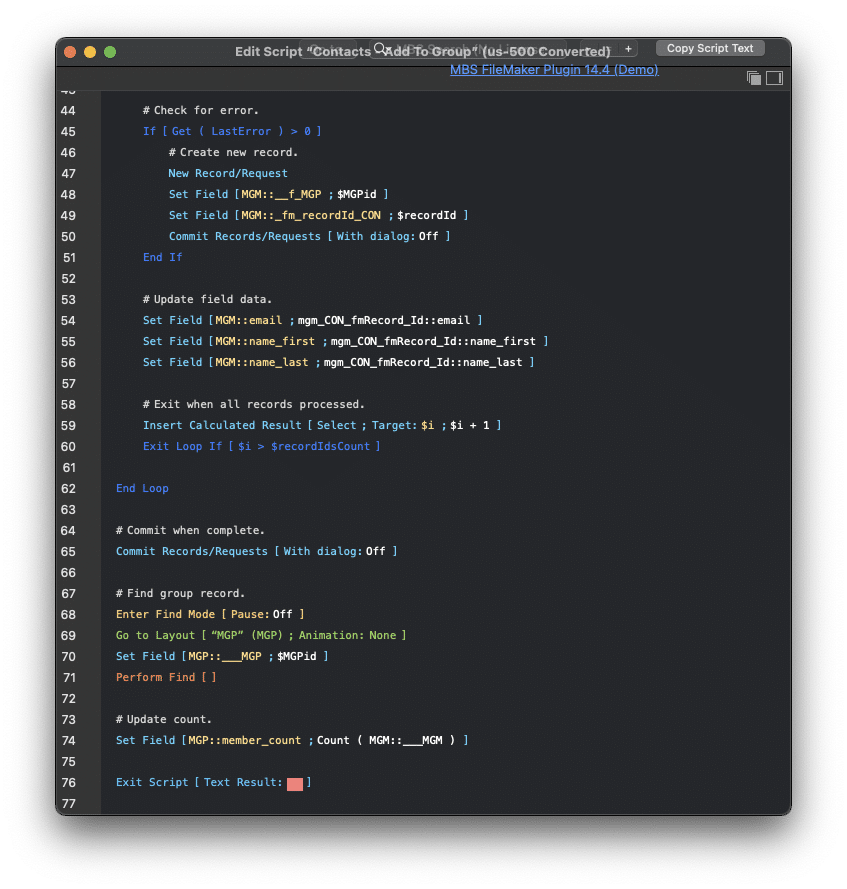
Take a look at the image below. The script refreshes the button object to clear its highlight. Then it checks if a Marketing Group is selected. Once that’s confirmed, it proceeds to line 25, where it calls GetRecordIDsFromFoundSet with a type of 0 to get the list of IDs. Line 26 then counts how many IDs were returned.
Line 29 switches to the Marketing Group Member layout with no found set. It then enters a loop starting on line 35. At line 37, the script stores each record ID into a variable using GetValue. The script attempts to find the corresponding contact record; if it fails, it creates a new record.
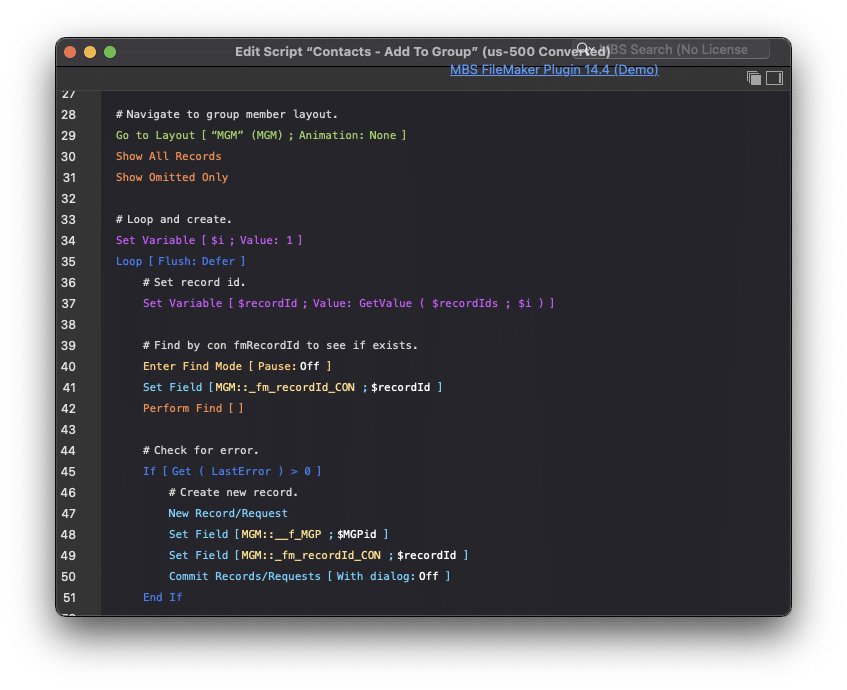
Whether it creates a record or not, the script sets the data through a relationship using the _fm_recordId_CON field. The loop continues until all IDs are processed. Once finished, the script navigates to the Marketing Group layout, which includes a portal to display the members and updates a member count field.
Go to List of Records
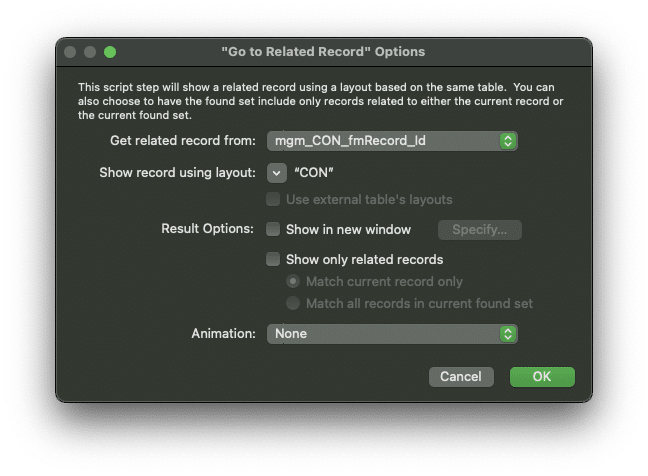
Now that we’ve created the Marketing Group Member records, let’s look at the new Go to List of Records script step.
This step functions similarly to Go to Related Record, but with a few key differences. Most notably, it doesn’t require a relationship. You simply pass in the record IDs and choose a layout. Whether you pass a single ID or a list, FileMaker finds the matching records—no need to specify “Current Record” or “Records in Found Set.”
Go to List of Records accepts:
- A carriage return–delimited list of IDs
- A JSON array of IDs
- A JSON array of objects with a recordid key
This gives you flexibility depending on how your data is structured.
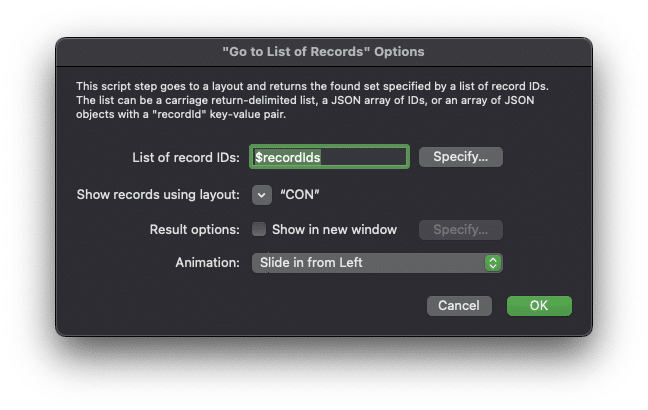
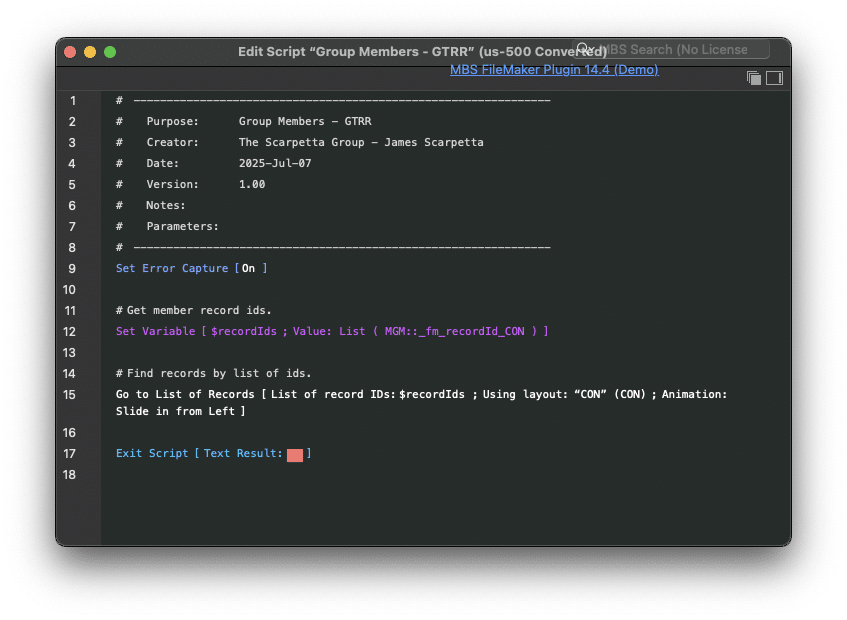
On the Marketing Group layout, there’s a button labeled View Contacts. The script it calls is shown below. On line 12, it uses List to collect IDs from the Marketing Group Members table based on the field I’ve set. I’m not using the new GetRecordIDsFromFoundSet function here because it would return IDs from the Marketing Groups context—not the one I need. So instead, I gather the list manually and pass it to the Go to List of Records step, which navigates to the Contacts layout with the appropriate found set.
Even though I’ve only tested these features locally and haven’t compared them to other approaches yet, both seem pretty snappy. I plan to use them regularly going forward. If I notice any significant performance differences after updating some scripts, I’ll post an update with my findings.
Have a great week!
If you need help utilizing new features of FileMaker 2025, let us help by clicking the button below!


